Affiliate disclosure: MentorsReview may earn a commission if you purchase through our links, at no extra cost to you. Our recommendation depends on your website’s needs. Offer eligibility and final pricing are determined at checkout.
Bluehost security guide · Updated October 2026
Choose the protection your website actually needs
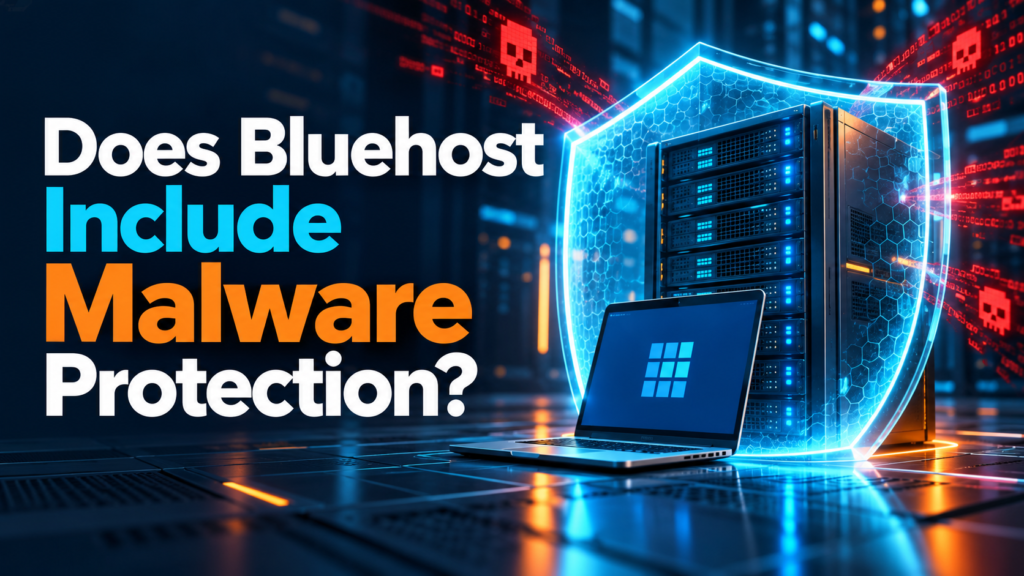
Does Bluehost include malware protection? Yes—current eligible hosting plans include a security tier, but coverage differs. Check the service assigned to your account before assuming an older plan has the same benefits as a new purchase.
Buying hosting for a fresh website? Compare included protection, renewal costs, and recovery options together. Already dealing with an infection? Confirm the cleanup scope before paying for an upgrade.
Check the Bluehost 50% offer →
Check the live offer, selected term, included services, and renewal total before ordering. A security service reduces risk; it cannot promise an unhackable website.
A malware warning is frightening because it affects more than your hosting account. Visitors may hesitate to open your website, an inquiry form can stop working, and you may lose time figuring out whether the problem is a plugin, an account login, or an injected file. The useful buying question is therefore practical: who notices a problem, who fixes it, and how do you restore normal operation?
This guide separates the hosting purchase from the recovery decision. We have reviewed current official documentation; this is an editorial buying guide, not a claim that we infected and tested a Bluehost website. Use it to prepare better questions and avoid purchasing overlapping services.
Start with your situation, not the biggest package
Keep the setup simple. Check included coverage, arrange an independent backup, and use only the plugins you need. Choose a plan you can afford after the introductory term.
Consider how much an interrupted contact form or booking page would cost. Compare preventive controls and recovery help alongside hosting capacity and your maintenance budget.
Ask for a diagnosis and a written explanation of cleanup scope. Do not assume a fresh hosting order will remove malicious code from an existing site or imported backup.
Our recommendation for a small, maintained website is to evaluate the included tier first, then pay for a specific gap you can identify. For a business that depends on its website every day, recovery arrangements deserve more attention. Buying the cheapest plan without understanding the recovery process can be as unhelpful as buying every optional add-on.
What Bluehost’s current security tiers include
Bluehost’s official protection overview lists the following distinctions. Verify availability for your own account and region.
| Service | Published inclusion | Main distinction |
|---|---|---|
| Malware Scan & Clean | Starter hosting | Continuous scanning and automatic removal |
| AI Malware Defense | Business hosting and above | Adds a smart WAF, AI file scanning, login protection, and injection defenses |
| Bluehost Complete Security | Paid service | Adds comprehensive WordPress database scanning and human expert WordPress cleanup |
The overview lists Complete Security renewal pricing at $19.99/month, subject to change. Its comparison marks comprehensive database scanning as “Coming Soon” in the middle tier. Do not treat a planned feature as available today. The detailed table limits human expert comprehensive cleanup to the top tier, despite broader wording elsewhere on the page; confirm your entitlement with support.
This distinction changes how you should compare hosting. A checkbox labeled security is too vague to be a buying decision. Write down the exact service name and ask what happens when a problem exceeds automatic remediation. The answer matters more than how many security phrases appear on a sales page.
A sensible purchase starts with a clear checklist
Compare the included service against the work you need help with. Then check the complete order total and future renewal cost. If Bluehost fits those requirements, use the offer link to review the available plans.
Check the Bluehost 50% offer →
No purchase is needed to compare the live plans. Optional products may have their own billing terms.
Why older SiteLock advice can be misleading
Bluehost’s September 29, 2026 SiteLock notice says the service is no longer available through Bluehost and existing subscriptions will not automatically renew at their next renewal date. It directs customers to check expiration and alternative protection options.
If an older tutorial tells you to add SiteLock at checkout, do not follow it without checking the current account interface. Record the expiration date of any existing subscription and arrange replacement coverage before it ends. Avoid canceling something simply because another service sounds similar; compare what each one actually covers first.
The same caution applies to older plan names and promotional screenshots. Hosting companies can update their packages while existing customers remain on earlier arrangements. For a new order, review the current order summary. For a renewal, review the account’s assigned services. Those two views may not match.

Scanning, prevention, and cleanup solve different problems
When comparing any security service, separate three jobs. Detection looks for suspicious changes. Prevention tries to reduce opportunities for an attack. Remediation addresses an identified compromise. A service can do one job well and still leave work for you in another area.
Ask what is inspected: website files, public pages, databases, or a combination. Ask whether you receive notifications and where reports appear. Most importantly, ask what the provider expects you to do when a scan identifies something it cannot confidently repair. You need a workflow, not merely a green dashboard.
Cleanup also has boundaries. Removing a malicious file does not necessarily explain how an attacker entered, whether an administrator account was created, or whether a vulnerable extension remains installed. After remediation, review access and software rather than assuming the issue is permanently finished.
For a website used to collect leads, test the contact form and notification delivery after any repair. For a shop, involve the person responsible for checkout and payment integration. Successful page loading alone is not enough to show that your business workflow has recovered.
SSL and backups are essential, but they have different jobs
HTTPS helps protect information traveling between a visitor and your website. It does not certify that every plugin is safe or that every stored file is clean. A compromised website can still display a padlock. See our Bluehost SSL guide when comparing certificate setup and hosting security.
A backup gives you a recovery point, but the timing matters. If an infection existed before the backup was created, restoring it can bring the problem back. Keep more than one recovery point, understand retention, and confirm that you know how to restore both files and the database.
Do not discover your backup limitations during an emergency. Make a small restore test on a separate staging environment when feasible, or ask your administrator to document the procedure. For the hosting-specific questions, read whether Bluehost backs up your website.
A practical recovery note should identify where the copies are stored, who can access them, what is excluded, and how long restoration usually takes in your own workflow. Keep credentials out of that note. The goal is to give your future self a clear starting point when the website is unavailable.
Before checkout: seven questions worth answering
- Which service is included in this exact order? Save the plan name and itemized summary. Do not rely on an earlier article or a different account’s dashboard.
- How many websites or domains are covered? Explain your actual setup, including additional domains, staging sites, and any migrated installations.
- What happens if automatic repair is unsuccessful? Ask whether human cleanup is included, separately billed, or outside the selected service.
- Does coverage apply to an existing infection? Ask directly. Future monitoring and recovery of an already compromised site are different needs.
- What are the renewal and cancellation terms? Review hosting and optional services separately. An introductory hosting rate does not establish every future charge.
- Who handles maintenance? Decide who updates extensions, reviews accounts, tests backups, and responds to alerts. Write down the owner for each task.
- What will you do if the site is unavailable? Prepare a support contact route, recovery procedure, and a way for customers to reach you during an interruption.
These questions help you buy enough protection without paying for uncertainty. If you cannot explain what an optional product adds, pause that item and ask support. Our Bluehost add-ons guide can help you review the order more systematically.
A manageable WordPress maintenance routine
The official WordPress hardening guidance treats security as risk reduction. It recommends current software, trusted sources, careful access controls, and recovery preparation. Hosting protections work best alongside that routine.
Keep the installation small and current
Install extensions for a real requirement, not because a list recommends dozens of them. Review unused themes and plugins and remove them when they are no longer needed, after confirming the change will not affect your site. Fewer components make maintenance easier to understand.
Before a significant update, confirm that a recoverable backup exists and choose a time when you can check important pages afterward. Automatic updates can be useful, but somebody should still notice if a form, layout, or integration stops working. For a business site, assign that responsibility explicitly.
Protect access and review users
Use unique passwords and enable supported multifactor authentication for important accounts. Give each person the access their role requires. When a contractor finishes a project, review the access they still hold rather than leaving unused administrator accounts indefinitely.
A password manager can help you avoid reusing passwords across hosting, WordPress, and email. Protect your recovery email too: losing control of it can make account recovery difficult. Keep recovery methods current and available to the authorized owner.
Make alerts actionable
Choose an email address somebody actually checks. Keep a short incident note with the date, observed symptoms, actions taken, and support case reference. Avoid storing passwords or private customer records in that note. Good documentation makes a later conversation with support much clearer.
If you suspect an infection, use a recovery workflow
First, write down the symptoms and preserve relevant evidence. Examples include unexpected redirects, new administrator accounts, changed files, unfamiliar outgoing messages, or a warning in a service you use. A single unusual symptom is a reason to investigate, not proof of one specific cause.
Contact your hosting provider or a trusted website professional through an official support route. Ask for the diagnosis, affected scope, and proposed cleanup process. If customers may be exposed to malicious content, discuss whether the affected website should temporarily be restricted while it is repaired.
Once the site is cleaned, address the entry point, review authorized users, and rotate potentially compromised credentials using the provider’s recommended process. Verify important pages, forms, and business integrations. Monitor for recurrence and document what changed.
If the website handles sensitive customer information, get appropriate professional assistance for the incident. Do not assume a scan report alone determines whether information was accessed or what notification obligations apply. Hosting support and incident response are related services with different responsibilities.
Starter or Business: how to make the buying decision
A simple informational website with few extensions and a clear maintenance owner can begin by comparing the entry plan against its actual requirements.
A busy business website should weigh downtime, technical help, and operational needs alongside the monthly rate. Identify a concrete reason for any upgrade.
Read our Starter versus Business comparison for the broader hosting decision. Security is one part of the package; capacity, site count, and renewal affordability matter too. A plan is useful only if you can maintain the website on it over time.
Do not expect a security upgrade to solve unrelated performance issues. A slow website may need image optimization, simpler plugins, better caching, or a different resource allocation. Our Bluehost traffic capacity guide explains how to think about workload separately.
Frequently asked questions
Do all Bluehost customers have identical malware coverage?
No. Verify the assigned service in your account, especially if you are on a legacy plan. Compare the order summary and dashboard rather than relying on a generic hosting claim.
Should I immediately buy an extra security product?
First identify what is included and what problem you need to solve. An additional service makes sense when it closes a specific coverage or recovery gap and its ongoing cost fits your budget.
Does a clean scan prove that a website cannot be hacked?
No. It is useful evidence about the check performed at that time. Continue maintenance, access reviews, and recovery preparation. No single indicator establishes permanent security.
Can I migrate an infected site into a new hosting account?
Discuss cleanup before migration. Importing compromised files or a contaminated database can carry the problem into the new environment. Ask the people handling the move how they will verify the source.
Should I use several WordPress security plugins?
Check compatibility and overlapping functions before stacking tools. More dashboards can mean more maintenance and conflicting settings. A clear, supported setup is easier to operate than a collection you do not understand.
What should I save after purchasing hosting?
Keep the itemized order, selected term, renewal information, service names, and support confirmation of important coverage questions. Store credentials securely and separately.
Choose hosting with a recovery plan you understand
Bluehost can be worth comparing when its included services and ongoing price match your website’s needs. Review the live order, confirm the coverage questions that matter to you, and keep a maintenance routine from day one.
Check the Bluehost 50% offer →
Our practical recommendation: choose the plan for your workload and recovery needs, then add only the services whose purpose you can explain. Final offer terms and availability may change.
Editorial note: Updated October 3, 2026. Official references are linked beside the relevant claims. Product documentation can differ from legacy account entitlements; confirm details before purchase. Illustrations are editorial visuals, not screenshots of a tested Bluehost account.