Platform decision guide · Updated October 4, 2026
AI can build the first version. Which platform fits what comes next?
Compare Hostinger AI Builder manual mode, agentic mode and WordPress before you choose your website’s foundation.
Compare Hostinger Options & Offers →
Eligible 10% discount code: TECHSOLV10. Check the applied discount and renewal total.
Affiliate disclosure: We may earn a commission when you buy through our links, at no extra cost to you. This is a researched comparison, not a hands-on speed or usability benchmark.
The quick answer: choose by your next twelve months
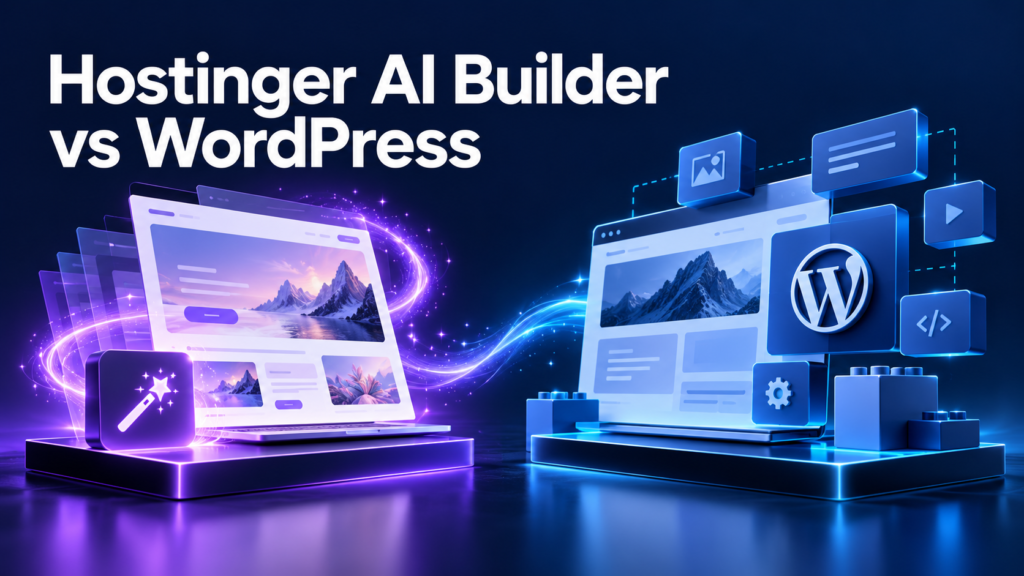
Choose AI Builder manual mode when you want a straightforward business website, portfolio or landing page and prefer a visual editing workflow. Consider agentic mode when your project needs interactive software behavior and you are willing to test what AI generates. Choose WordPress when publishing, plugins and control over a growing content website are your main priorities.
These are editorial recommendations, not performance-test results. The best platform is the one that makes your actual workflow easier: adding an article, changing an offer, collecting an enquiry or maintaining a useful tool. A polished first screen matters less than being able to make the next twenty changes confidently.
Before choosing, write down three requirements you need today and three you expect next year. Include the person who will maintain the site. If a platform fits the launch but makes routine publishing difficult, the attractive starting price can become a distraction.
AI Builder now has two modes—do not compare them as one
Hostinger’s current mode comparison distinguishes a visual drag-and-drop manual mode from a prompt-based agentic mode that generates code. This matters because the available workflow and billing are different.
Manual mode is listed as included with most Web and Cloud hosting plans. Agentic mode requires a separate credit-based subscription and active hosting to publish. The documentation also describes Hostinger Ecommerce as a separate subscription. Check the exact offer available in your account rather than assuming one hosting price includes every product.
Think about the experience you want. Moving a heading visually and asking AI to create a dashboard are different tasks. A designer who wants predictable placement may prefer manual editing; someone building an interactive tool may find prompting useful. Neither removes the need to review the result before visitors use it.
Hostinger AI Builder vs WordPress at a glance
| Your priority | AI Builder manual | AI Builder agentic | WordPress |
|---|---|---|---|
| Editing approach | Visual drag-and-drop | Prompt-based development | Content dashboard, blocks, themes and plugins |
| Typical fit | Business pages and portfolios | Interactive tools and web apps | Content sites and extensible publishing |
| Work to budget | Content and visual refinement | Prompt revisions and functional testing | Setup, updates and compatibility checks |
| Purchase check | Hosting inclusion and feature limits | Credits plus publishing hosting | Hosting plus chosen add-ons |
| Future move | Check partial content export | Verify this mode’s export and deployment options | Plan a complete files-and-database migration |
This is a decision aid, not a feature-by-feature benchmark. Product limits can change, and a particular integration may decide the outcome more strongly than a general platform label. Verify the functions essential to your business before committing.
For a small business: prioritize the enquiry journey
A local service business usually needs a clear explanation, credible examples, contact information and a reliable way to enquire. For that brief, a visual builder is worth considering because the owner can concentrate on content and layout. Avoid adding a complex system simply because it looks more advanced.
Write the path a visitor should follow: understand the service, see evidence, choose a contact method and receive a response. Put the call to action where it is useful. A short page with a working form can serve this journey better than a large site with unfinished features.
Choose WordPress instead when the business needs a specific plugin workflow or expects substantial editorial publishing. Ask who will manage updates and whether the required integration is genuinely supported. The decision should include the ongoing work, not just the time it takes to create the homepage.
Before launch, submit a test enquiry from another device. Verify the notification reaches the right inbox and the confirmation tells the visitor what happens next. Repeat the test after changing forms, email settings or connected services.
For an affiliate blog: why we would lean toward WordPress
For a publication with recurring comparisons, category pages and an expanding archive, we would generally choose WordPress. That is an editorial preference based on the work involved in running a content library. It is not a promise that WordPress will rank higher or earn more.
Plan the structure before installing extra tools. Decide how reviews connect to comparisons, tutorials and discount guides. A reader evaluating hosting may need a renewal-price explanation more than another sales button. Useful internal links help that person complete the decision.
Keep a repeatable article checklist: factual sources, an honest recommendation, clear affiliate disclosure, descriptive image text and relevant links. A publishing platform can organize these elements, but it cannot replace accurate research or sound judgment.
If your first project is only a few informational pages, a builder may still be enough. Choose for the content workload you can realistically maintain. An ambitious WordPress setup with no publishing routine has little advantage over a simpler website that receives thoughtful updates.
Build the website your business actually needs
Ready to choose your website platform?
Compare the current plan features and renewal total, then try our 10% discount code on eligible purchases.
Explore Hostinger Plans & Check Your Discount →
Eligibility varies by product and checkout. Confirm the applied discount before paying.
For a web app: evaluate agentic mode on a real task
Hostinger’s agentic mode overview describes generating code, project structure and backend through prompts. It lists dashboards, trackers and other browser-based tools among the use cases. This makes the mode different from a traditional visual page editor.
Begin with one complete user action rather than a long feature list. For example, a project tracker should let a user create an item, save it and find it again. Test that small journey before asking for reports, collaboration and additional interfaces.
Review permissions and failure cases. If the tool contains accounts or private records, test whether one user can see another user’s information. Check what happens when a field is missing, a connection fails or someone refreshes the page. Attractive screens do not establish correct application behavior.
Budget time for debugging. Prompt-based development can help produce a first version, but complex logic may need technical review. Do not purchase a plan assuming a single prompt will deliver production-ready software or that all future changes will be effortless.
The design question: colorful should still be readable
A strong design guides attention. Use color to separate sections and emphasize decisions while keeping body text clear. Pale cyan, violet, green and amber backgrounds can make an article easier to scan when typography and spacing remain consistent.
Choose one primary action per important decision point. A visitor should understand what clicking does: view plans, compare features or check the total at checkout. Avoid several equally prominent buttons that ask for unrelated actions in the same area.
Give images a purpose. An editorial illustration can introduce the subject, while a comparison table carries exact information. Do not use invented screenshots as evidence of a product feature. Include informative captions and alternative text that explains what the image contributes.
Check the narrow layout before launch. Headings should wrap comfortably, buttons should remain easy to tap and wide tables should scroll within their own container. A desktop page can look polished while still causing frustration on a phone.

SEO: the platform does not guarantee Google traffic
Search visibility depends on useful content, crawl access and many other factors. Choosing WordPress or AI Builder is not a ranking shortcut. Likewise, submitting a URL to a search engine is a discovery request, not a guarantee that it will appear in results.
Start with a focused page purpose. Answer the query clearly, explain the tradeoffs and make your recommendation understandable. A title should describe the actual article. Repeating a keyword in every heading can make the page less useful without resolving the reader’s question.
Check page titles, descriptions, canonical URLs and image alternative text in the chosen workflow. Confirm important pages are publicly accessible and not accidentally marked noindex. Keep a sitemap available and link new articles from relevant existing pages.
After publishing, monitor which queries generate impressions and which pages receive clicks. Improve weak explanations and outdated information. Traffic growth is an ongoing editorial process, and neither a plugin score nor a colorful layout proves that a page deserves a top position.
Compare total cost, including the second payment
The promotional monthly equivalent is only part of the purchase. Compare the amount due now, the billing term, the renewal total and essential extras. Use the same time period for each option so a short subscription is not misleadingly compared with a multi-year quote.
For a visual builder, check the included product and features. For agentic mode, include the credit-based subscription and publishing requirements. For WordPress, include any paid theme, plugin or maintenance help you actually need. Leave optional extras out until their value is clear.
Our Hostinger renewal-price guide and Premium vs Unlimited comparison can help frame the hosting decision. Always let the current checkout take priority over an article or an older screenshot.
Try TECHSOLV10 for a 10% discount on eligible purchases through our affiliate link. We do not promise eligibility for every plan, add-on or renewal. Check that the code changes the payable total before completing your order.
The migration catch: content export is not a full rebuild
Hostinger’s manual-mode export guide says regular pages, text, images and other files can be exported to WordPress. It excludes styles and layout, the online store, integrations, forms, collected submissions and SEO settings. This limitation applies to the documented manual-mode export route.
Do not apply that list to agentic mode without checking its own guidance. An AI-generated application can have different files, dependencies and data requirements. Verify the available export or deployment workflow for the particular project you intend to build.
When planning any move, inventory URLs, forms and connected services. Preserve important content and map old addresses to their new equivalents where appropriate. Allow time to recreate the appearance and test the visitor journey on the destination.
WordPress also needs careful migration. A content export alone is not the same as transferring an entire functioning installation. Our Hostinger backup guide explains why matching files and database components matter for recovery planning.
Maintenance: decide who owns the routine
WordPress provides flexibility, but someone must look after the installation. The official WordPress auto-update documentation explains the available theme and plugin controls and recommends being able to roll back when needed. Automatic updates are useful, but a recovery plan remains important.
Assign a named owner for checking the website after changes. Test key pages, forms and purchase journeys instead of only opening the homepage. Keep a record of recent changes so a problem can be investigated without guessing what happened.
For builder projects, follow the maintenance guidance for the selected mode. You still need to keep business information correct and verify important functions. Agentic projects with custom behavior deserve explicit functional checks after modifications.
Choose the amount of responsibility you can sustain. A reliable modest website is often more valuable than a complicated setup whose owner cannot diagnose a broken contact form. If technical help is necessary, include that cost in the decision.
A practical pre-purchase checklist
- Define the result. Write whether you need a brochure site, content publication or interactive application.
- List essential integrations. Confirm the exact form, payment, booking or editorial workflow before buying.
- Identify the mode. Separate manual builder features from agentic features and WordPress tools.
- Compare the complete quote. Include renewal, credits and required subscriptions.
- Plan an exit. Understand what can be exported and what would need to be recreated.
- Name the maintainer. Decide who will test changes and manage recovery.
Keep this list short enough to use. You do not need to forecast every future feature. The goal is to discover the one requirement that would make a platform unsuitable before you invest time building on it.
When uncertain, create the smallest representative page or workflow available in a preview. Evaluate editing comfort and functional completeness using your own content. A template demonstration is useful inspiration, but your real task is the better test.
Frequently asked questions
Is Hostinger AI Builder the same as WordPress?
No. AI Builder has its own manual and agentic workflows. WordPress is a separate content management system with themes and plugins.
Which would you choose for an affiliate blog?
We would generally choose WordPress for an expanding editorial archive. That preference does not guarantee rankings, traffic or affiliate revenue.
Can I move a manual-mode site to WordPress later?
The documented export transfers some content, but excludes layout, store data, forms and other settings. Budget time for rebuilding and verification.
Does one hosting payment cover agentic mode and ecommerce?
Do not assume that. The current mode documentation describes separate agentic and Ecommerce subscriptions. Review the exact offer and publishing requirements.
How do I use TECHSOLV10?
Open our Hostinger offer link, choose an eligible product and enter the code at checkout. Confirm the 10% discount is applied; eligibility for every product or renewal is not guaranteed.
Our verdict: match the tool to the work
For a straightforward visual website, start by evaluating AI Builder manual mode. For a custom interactive tool, evaluate agentic mode with a small working user journey and a realistic testing budget. For a growing publication, WordPress is our preferred starting point because the work centers on content management and extensibility.
Compare the complete cost and migration options before deciding. Then choose the platform whose regular workflow you can maintain. The right decision is easier to defend when it is based on your actual requirements, rather than a claim that one tool is universally best.
Build the website your business actually needs
Compare your options, then check TECHSOLV10.
Compare the current plan features and renewal total, then try our 10% discount code on eligible purchases.
Explore Hostinger Plans & Check Your Discount →
Eligibility varies by product and checkout. Confirm the applied discount before paying.