WORDPRESS HOSTING DECISION GUIDE • UPDATED OCTOBER 11, 2026
More flexibility or more WordPress management?
Quick answer: Choose Hosting.com shared hosting when you need a general website-and-email environment and want to control your application setup. Shortlist its separate managed WordPress product when your project runs on WordPress and the included workflow reduces work you would otherwise perform or pay for.
The buying question is not simply which label sounds faster. It is which product supports your website, maintenance process and complete budget. This guide compares those decisions without inventing speed tests or a universal discount.
Affiliate disclosure: MentorsReview may earn a commission through the links below. Recommendations depend on fit. Check the selected product, billing term, renewal and offer eligibility before paying.
Start with the product that matches your work
Compare shared hosting for a mixed website-and-email setup, or review the specialist WordPress platform for a WordPress-first project.
Compare Shared Hosting Plans Explore Managed WordPress
These are different product ranges. No fixed discount or checkout price is promised.
Broader application and email use.
A specialist WordPress workflow.
Initial invoice, renewal and required extras.
Updates, testing, recovery and custom work.
The important distinction: server management versus website work
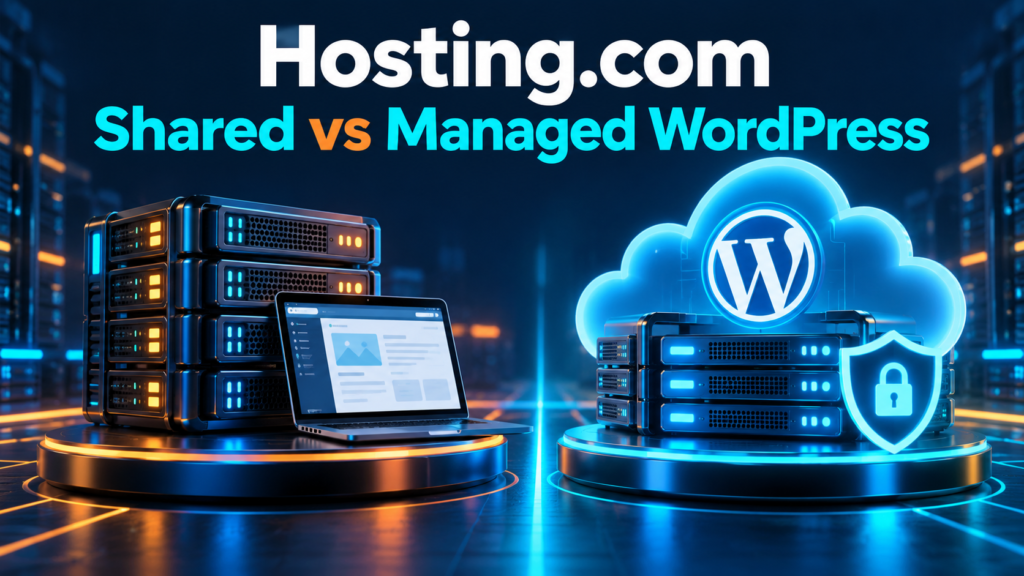
Shared hosting describes how resources are provided; managed describes work performed by a service provider. They are not perfectly opposite terms. Hosting.com presents its standard platform as managed infrastructure while separately selling a specialist managed WordPress service. Reading the word managed on one page does not establish that every product includes the same application responsibilities.
Think in tasks rather than labels. Who maintains the server? Who approves plugin changes? Who checks whether a contact form still sends messages? Who restores a database after a mistaken edit? Write an owner beside each task. A host can maintain infrastructure while you remain responsible for the website’s content, business settings and third-party integrations.
For a U.S. small business, that distinction affects both cost and reliability. A plan that includes useful operational tools may reduce separate purchases, but it does not replace your entire developer or marketing team. Ask what support will actually do for your particular website before treating management as unlimited assistance.
Shared vs managed WordPress: decision table
| Buying decision | Shared hosting | Managed WordPress |
|---|---|---|
| Project scope | General hosting with website and email needs | A platform focused on WordPress |
| Application control | Assess supported applications and your chosen setup | Confirm the WordPress workflow supports your stack |
| Optimization | Check included tools and work you retain | Published specialist caching and CDN inclusions |
| Testing changes | Check staging availability on the selected tier | Staging and development workflow advertised |
| Integrated email advertised | Verify mailbox provision and any separate cost | |
| Cost comparison | Quote hosting plus necessary services | Quote the platform plus remaining services |
This table is a decision framework, not a claim that every tier has identical allowances. Use the exact product name and selected order summary. A separate cPanel offering also exists; do not assume that standard shared hosting means cPanel. Our Hosting.com review explains the wider product families.
Choose shared hosting when the project needs flexibility
Shared hosting belongs on your shortlist when the website is only part of the setup. You may need a business inbox, a brochure site and another supported application. You may also prefer to choose and maintain your own WordPress optimization tools. Compare the actual requirements with the current shared range rather than buying it because the name feels familiar.
The current official page distinguishes the all-purpose shared product from the specialist WordPress platform. It advertises integrated email and shows tier-specific staging and resource allowances. That is useful evidence for a mixed environment, but it is not a promise that every application or workload is supported. Ask about essential software before committing.
A freelancer who already has a reliable maintenance routine may value this arrangement. If you can test updates, maintain backups and diagnose common plugin problems, buying more application management may be unnecessary. Conversely, being able to install WordPress does not mean you have a workable recovery process. Include the cost of filling that gap when comparing options.
Choose managed WordPress when its workflow replaces real work
The separate managed WordPress page identifies a Rocket.net partnership and lists Cloudflare Enterprise, WP Rocket, Object Cache Pro and staging. Those are documented product inclusions. They explain what to investigate, but they do not establish a measured performance result for your site or guarantee that every plugin combination behaves well.
This product deserves consideration when WordPress is the primary application and you want a coherent optimization and testing environment. Ask how updates are handled, how changes are validated and what happens when an update causes a problem. A published automatic-update feature is useful only when you understand its operating rules and your remaining responsibility.
Do not assign invented monetary savings to the included tools. If you currently pay for a license, confirm whether the platform replaces it for your use and whether that benefit continues at renewal. If you never needed the license, its presence is not automatically a saving. Prefer a service that simplifies a task you actually perform.
Who should buy which product?
One personal blog: begin with the simplest eligible product that meets your requirements. Shared hosting may suit an owner comfortable with maintenance. Managed WordPress may suit an owner who values the platform workflow and can afford the complete ongoing cost. Traffic ambition alone is not a reason to choose the more expensive arrangement.
A local service business: prioritize enquiries, inboxes and recovery. Decide whether mailboxes will stay with the host or an existing email provider. A specialist WordPress setup can be attractive when the site is business-critical, but verify form delivery and the support scope. A beautiful website with a broken enquiry process is still a failed setup.
A freelancer or agency: compare access permissions, staging, client ownership and the cost of all sites together. More allowed websites does not mean unlimited resources for every client. Keep clients’ domains and recovery details under appropriate ownership. Choose the product around the process you can consistently maintain rather than the largest capacity number.
Compare the full bill before looking at a promotion
Request quotes for both products over the same period and in the same currency. Record the amount charged today, the months covered, the next-term charge and necessary extras. A displayed monthly equivalent can require an upfront payment for a longer term. Compare that cash commitment with your realistic budget.
Hosting.com’s renewal explanation describes introductory prepaid pricing moving to regular pricing. We have not verified one universally applicable current USD rate for these two products. This article therefore uses a quote worksheet instead of an unverified price table. Your selected checkout and renewal information should settle the monetary comparison.
Include required mailbox hosting, domain renewal, licenses and developer work. Leave optional extras out unless your requirements justify them. Avoid adding a license cost to shared hosting if you would use a suitable free alternative. Likewise, do not subtract a license from the managed budget unless that inclusion replaces an actual expense.
Illustrative arithmetic only: if one arrangement costs $120 for a year plus $60 of necessary services, its first-year subtotal is $180 before tax. If another costs $210 with those services included, the difference is $30. These are hypothetical figures, not Hosting.com prices. The comparison changes when the selected renewal or your required services change.
Compare equal products and equal billing periods
Open the relevant range, select the term and record the full quote. Resolve email and maintenance responsibilities before placing an order.
Check Shared Hosting Pricing Check Managed WordPress Pricing

Performance: test the functions that earn or protect revenue
We have not run matched shared and managed WordPress benchmarks for this article. There is no independently measured winner for uptime, response time or checkout speed. Published architecture can inform your shortlist, but it cannot tell you how your theme, plugins and database will perform.
Before upgrading or migrating, identify the actual problem. A large hero image, a slow third-party script or an expensive database query may remain slow after moving. Test representative pages rather than an empty installation. For a store, include cart, account and checkout functions; for a service business, include enquiry forms.
Use comparable conditions when assessing a trial. Keep the content, plugin stack and location reasonably consistent, and record whether caching is active. Check mobile layout stability as well as load time. A cache can make public articles responsive while logged-in or dynamic functions still need attention. Discuss a demonstrated bottleneck with support before choosing a bigger allowance.
Backups, staging and updates need an operating plan
Ask both products about backup coverage, retention, restore access and the time required to recover. A backup schedule alone does not tell you whether a restore will include all data you need. Keep an independent copy of critical business information and know how to use it before an incident.
Use staging to test a change, but do not assume copying a staging database onto production is safe for an active store. That could replace orders or user changes created after the copy. Define whether you are deploying files, settings or a database, and ask your developer to use a process appropriate to the application.
Assign update approval and validation to a named person. Check payment, enquiry and login functions after a significant change. Managed services can reduce routine work, but someone still needs to recognize whether the business process works. Keep a change record so a problem can be connected with a recent plugin, theme or configuration update.
Email and migration: keep the whole business working
Moving WordPress and moving email are separate decisions. Inventory mailboxes, aliases, forwarding rules and sending services before changing DNS. Preserve the records needed by an email provider that stays elsewhere. Website hosting should not silently disrupt staff inboxes or contact-form delivery.
Ask for written migration scope. The product marketing advertises free transfers, while the billing policy describes possible complexity-related charges for non-cPanel migrations. Clarify eligibility for your source platform, website size and email requirements. A general free-migration banner is not enough to establish the price of your particular move.
Test the destination using the available preview process before changing the live address. Check important URLs, images, forms, logins and transactional messages. Agree on how new orders or edits are handled during transfer. Keep the previous service until the new arrangement is verified; avoid cancelling it simply because a file-copy task has finished.
Questions to send support before buying
Describe the project concretely: number of WordPress sites, important plugins, storage, email service and any store or membership function. Ask which product fits those requirements and why. A useful response should identify an actual capability, limit or support responsibility rather than simply recommend a higher tier.
Request the initial charge and renewal for the selected billing term. Ask which optional services are preselected and whether you can remove them. Confirm the refund rules for the selected service and any excluded charges. Do not treat a money-back headline as a promise that domains, migration or every add-on is refundable.
Ask about staging, backup restoration, custom code, scheduled jobs and developer access where these matter. Save the answers with the quote date and product name. If an essential requirement remains unclear, pause the purchase. A short clarification is easier than rebuilding a client website on a platform that does not support the workflow.
Our recommendation: buy the workflow, not the label
Shortlist shared hosting for a general website-and-email environment when its supported applications and your maintenance process fit. Shortlist managed WordPress for a WordPress-first project when the included tools, operating responsibilities and complete quote justify the choice. Neither product automatically makes a website profitable or guarantees a search ranking.
Start with the smallest suitable tier and review the upgrade path. A plan should solve a current requirement with reasonable headroom, not absorb your content budget through unused capacity. If your existing service works and no concrete limitation is established, staying put can be the better decision.
For broader context, read our Hosting.com review. If you are comparing providers rather than these two product families, use the Bluehost vs Hosting.com comparison and hosting alternatives guide. Keep provider selection and product selection as separate buying questions.
Frequently asked questions
Can Hosting.com shared hosting run WordPress?
Yes, the official standard hosting page presents WordPress as a supported use. That does not make its workflow identical to the separate specialist WordPress platform.
Is managed WordPress always the better choice?
No. It depends on the application, services you need, responsibilities you retain and the full cost. A mixed environment may have different requirements from a WordPress-only project.
Does shared hosting always mean cPanel?
No. Hosting.com has a separate cPanel range. Confirm the panel attached to the exact product you select.
Will managed WordPress make my site faster?
No result is guaranteed by this comparison. Test a representative copy of your website and investigate the actual bottleneck. We did not run independent matched benchmarks.
Which product includes business email?
The standard page advertises integrated email. Verify mailbox availability and any separate cost for your selected managed WordPress arrangement rather than assuming identical benefits.
Can I use the affiliate links for a guaranteed discount?
The links direct you to the relevant product ranges. No universal savings percentage is verified here. Check current eligibility and the complete checkout, including renewal and extras.
Ready to choose your Hosting.com setup?
Choose the range that matches your requirements, then confirm the total bill and operating responsibilities.
Sources and editorial method
By David Russell. Reviewed October 11, 2026. This guide combines official product documentation with editorial buying advice. We did not purchase both products for independent benchmark tests or measure support response times.
- Hosting.com standard hosting and WordPress distinction
- Managed hosting for WordPress
- Renewal pricing explanation
- Refund and billing policy
About the author: David Russell writes MentorsReview guides that compare product suitability, costs and maintenance responsibilities. Affiliate relationships are disclosed before recommendation links.