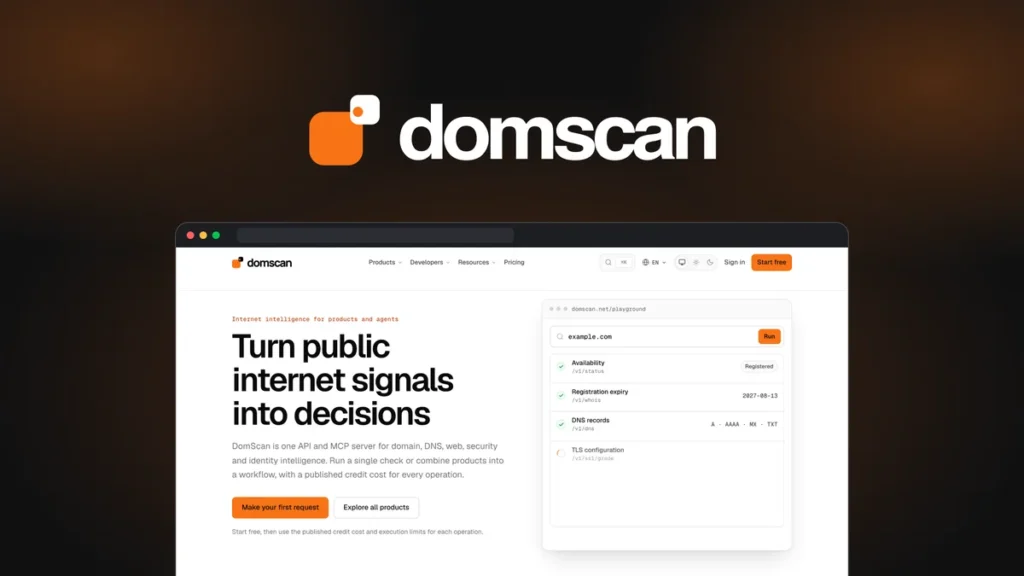
If you keep switching between domain lookup, DNS, and redirect tools, DomScan lets you pull those checks into one workflow. The DomScan AppSumo lifetime deal was listed from $29 when we checked on November 7, 2026. Tier 1 is the best starting point for a solo developer or freelancer who already has a recurring task to automate.
Affiliate disclosure. MentorsReview may earn a commission if you buy through links in this article. Read our disclosure policy.
APPSUMO LIFETIME DEAL
Start with Tier 1 if you have a workflow to automate
$29 listed price · 10,000 monthly credits · REST API + MCP
Check the live DomScan dealOne-time payment. Check today’s price and terms on AppSumo.
Jump to Tier comparison · Credit budget · Domain research workflow · Final verdict
What DomScan does
DomScan collects public domain and website signals through a REST API and a Model Context Protocol (MCP) server. You can start with a domain name, look up registration or DNS data, then check a public page for its redirect chain, metadata, or detected technology. A compatible MCP client can call supported DomScan tools while you work in an AI assistant.
- Domain research. Screen candidate names for availability and inspect available registration data with RDAP or WHOIS.
- Client site checks. Review nameservers, mail records, certificates, redirects, and public website signals before a launch or migration.
- Repeatable workflows. Build checks into scripts, run supported batch requests, or monitor configuration changes.
The value is in running the same checks across multiple domains and getting structured results back. For a single lookup, start with DomScan’s public tools. If a lookup comes back as unknown, log it for review. A timeout or incomplete response can leave availability or reputation unresolved.
DomScan AppSumo pricing and tiers
AppSumo listed four one-time prices in USD on November 7, 2026. The listing includes the public endpoints and MCP integration across all four tiers. Choose based on how many credits your workflow uses each month.
| Tier | One-time price | Credits per month | Who should consider it |
|---|---|---|---|
| 1 | $29 | 10,000 | Solo developers and a first recurring workflow |
| 2 | $89 | 30,000 | Freelancers with measured recurring usage above Tier 1 |
| 3 | $239 | 100,000 | Teams running regular batches across multiple sites |
| 4 | $489 | 250,000 | High-volume pipelines with tested credit usage |
Best starting tier for most buyers
Pick Tier 1 if your estimated monthly spend fits under 10,000 credits with room for retries and spikes. Check the live tiers before paying.
Compare live AppSumo tiersBefore you buy. AppSumo lists a 60-day refund window and requires license activation within 60 days of purchase. The deal has no automatic renewal. The monthly allowance resets on the first day of each month at 00:00 UTC and unused monthly credits expire. After purchase, open the DomScan license connection in AppSumo, authorize it, then sign into DomScan and connect the license. The official listing shows current terms.
How to estimate your monthly credit budget
One request can cost more than one credit. For instance, the RDAP bulk documentation lists two credits per domain. At that rate, 500 domains checked once per month would use 1,000 credits for RDAP alone. Running the same batch four times would use 4,000. DNS checks, page extraction, monitoring and retries can add to that total.
- Write down the endpoints your workflow needs and how many domains or URLs each run processes.
- Check each operation’s rate in the DomScan pricing docs. Use per-item rates for bulk endpoints where applicable.
- Multiply by the number of runs each month. Test a small batch and compare actual credit use with your estimate before picking a bigger tier.
For example, a Tier 1 buyer using 4,000 credits on RDAP per month has 6,000 left for other work. A weekly job that scans several sites and runs multiple paid checks on every domain should be measured on a real batch before committing to a tier.
A practical workflow for screening domains
- Start with the shortlist. Put your candidate domains in a spreadsheet or job queue. Run availability checks and flag uncertain results for a second lookup.
- Check public evidence. For shortlisted candidates, look up RDAP and DNS. If a domain resolves, trace redirects and note what the current site shows.
- Review history separately. For a previously used domain, inspect archived pages and use a backlink tool to review links and anchor text. DomScan’s own DNS history covers observations from successful lookups and can miss earlier changes.
- Confirm before paying. Check the final availability, registration cost, and renewal price with your chosen registrar. Keep a record of any checks that came back inconclusive.
For the registration step, compare Namecheap’s first-year and renewal costs. If you also need hosting and automation, see our Hostinger AppSumo bundle review.
Who should buy DomScan?
Buy Tier 1 if you already repeat domain, DNS, or public-site checks for launches, migrations, or client reports. You can try one workflow end to end before adding more checks. Consider Tier 2 or above once you can show that your regular workload exceeds the lower allowance.
Skip the deal if you only check occasional domain names or primarily want a backlink database, a deep historical archive, or a registrar. Dedicated tools or free manual lookups will usually fit those jobs better. Teams that need specific availability, rate limits, or endpoint coverage should validate those requirements before building around the API.
How we evaluated it. This buying guide compares AppSumo’s deal terms with DomScan’s public product and API documentation. It is a documentation-based review.
Frequently asked questions
Do I need to code to use DomScan?
You can try individual checks through the public tools or use supported tools through a compatible MCP client. REST API integration is an option if you want scheduled jobs or checks inside your own application.
Can I use DomScan to research expired domains?
Yes. You can check current availability, registration data, DNS and the current site when it resolves. Use web archives and a backlink tool for past content and link history, and confirm that the name can be registered at your registrar.
Does DomScan’s lifetime deal include unlimited scans?
The lifetime offer gives you a recurring monthly allowance for the tier you buy. Credit costs vary by operation. Unused monthly credits expire at the reset.
Have a recurring domain research task?
Check the current Tier 1 price and allowance on AppSumo. Move up only if your measured usage calls for it.
View the DomScan deal on AppSumo