Affiliate disclosure: We may earn a commission if you buy through our links.
ClickSites AI Review & Black Friday Offer
Basic starts at $49 as a one-time purchase. The vendor advertises BF40 for 40% off All-Access.
ClickSites AI is worth shortlisting for landing pages, portfolios and simple business sites if you want hosting and a visual editor in one purchase. Basic is the better starting point for most small projects. Choose All-Access if you need its named integrations, white-label access or additional client capacity. For a content-heavy WordPress blog or a full online store, check your publishing and commerce requirements before choosing a static-site builder.
Review method: We compared the official offer, pricing and workflow documentation. This is a research-based buying guide. We did not run a hands-on build, test an HTML export or verify coupon acceptance at checkout.
ClickSites AI review: who should buy it?
Good fit for a defined landing page
A freelancer can use a single page to explain an offer, show work and collect enquiries. Start with one representative page and test its form, mobile menu and CTA before committing client work to the platform.
Check your CMS and store requirements
If your workflow requires scheduled posts, editorial roles, advanced product inventory or memberships, list the exact features you need first. The vendor describes an HTML export workflow. Verify how your intended publishing tools, checkout and integrations would work on the destination host.
How ClickSites works and where to see a demo
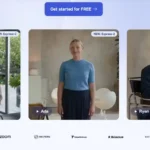
The official offer shows website creation from a prompt, URL or image. You can refine the draft with a drag-and-drop editor, use generated images and publish on the vendor’s hosting. Use your own or licensed material when starting from an existing design.
See the vendor’s editor demonstrations and website examples. For a client lead page, look for how to edit the hero, move a CTA and configure a form before committing to the workflow. These examples come from the vendor.
ClickSites pricing: Basic vs All-Access
For project examples, team account limits and when reseller or automation features justify the extra cost, see our ClickSites Basic vs All-Access comparison.
The vendor publishes Basic at $49 and All-Access at $179. Both are listed as one-time USD prices. The following limits come from the official setup and plan guide.
| Plan detail | Basic | All-Access |
|---|---|---|
| Published price | $49 | $179 |
| AI-generated websites | 100 at purchase | Unlimited as advertised |
| Custom domains / workspaces | 100 each | 500 each |
| Team accounts | 5 | 10 |
| Design sections | 50 | 150 |
| Hosting, SSL and visual editor | Included | Included |
| Webhook, Pabbly, Zapier and autoresponder integrations | Not listed | Listed |
| White-label accounts | Not included | 150 listed |
| License | Commercial | Commercial and reseller |
Black Friday offer: The supplied official sales page advertises BF40 for All-Access. A full 40% reduction from $179 would bring it to $107.40 before tax. Confirm the actual checkout price and package. The offer page specifies All-Access.
Basic covers a small portfolio or landing-page project at a lower entry price. Move up when a specific integration, reseller permission or capacity limit affects the work you plan to deliver. Confirm any in-app upgrade price with the vendor before assuming the difference between the two list prices is your upgrade cost.
Hosting, custom domains and AI text costs
Hosting and DNS
The vendor lists an included ClickSites subdomain and custom-domain connection using a CNAME record. You still need to buy and renew your domain through a registrar. Before changing DNS on a domain with email, document the current records and confirm the instructions for your preferred hostname. See our domain DNS and email checklist.
Bring your own API key for text
The official FAQ says you supply your own API key from a supported provider such as OpenAI or Gemini for generated text. The provider’s pricing, model and usage determine your cost. Check the provider billing dashboard and test a representative page before estimating a budget for a batch of sites. The vendor lists image generation separately as included.
HTML export and portability
The vendor documents an HTML download option. If you plan to self-host later, export a representative page and confirm that its form delivery, images, analytics and any required services work on the destination host. Keep a local copy of the finished site assets and original copy.
A first-site checklist for ClickSites
If your launch also needs a website chat assistant, see our HumanBot review for a lead capture and live handoff checklist. Confirm widget compatibility with the platform you use.
- Write the page brief. Define one audience, one goal and the action visitors should take. Use real contact details and claims you can support.
- Build a draft and inspect mobile. Check heading order, buttons, text contrast and image alt text. Remove generic claims and confirm the page explains your actual offer.
- Verify publishing controls. Confirm you can edit the page title and description and use a consistent public URL. Check the canonical and indexing directives on the published page.
- Test the full customer path. Submit a test form, confirm delivery and validate the public HTTPS URL. Check both the old and new URLs if you are moving an existing page.
For a site built around recurring articles and editorial workflows, compare your requirements with our WordPress launch and migration checklist. If you need artwork for a landing page, see our Artistly AI review.
ClickSites AI FAQ
Does ClickSites charge a monthly subscription?
The reviewed offer lists one-time purchase prices for Basic and All-Access. Budget separately for domain renewals and any usage charges from your AI text provider.
Does ClickSites include hosting and SSL?
The vendor lists both as included. You can use its hosted subdomain or follow its custom-domain setup guidance.
Can I connect my own domain?
Yes. The vendor documents a CNAME-based setup. Check which hostnames are supported and keep existing mail records intact.
What is the ClickSites Black Friday coupon?
The vendor advertises BF40 for 40% off All-Access. Check the selected package and final price before paying.
Does ClickSites offer refunds?
The vendor advertises a 30-day money-back guarantee. Check the purchase terms and retain your receipt. Its published support contact is [email protected].
Final verdict: choose Basic for a simple launch
Start with Basic if the goal is a small business page or portfolio and its limits cover the brief. Consider All-Access for a specific integration or a reseller workflow. For either plan, check API text usage, DNS and your export requirements before moving a live client site.
Check ClickSites Pricing and BF40 →
Sources: Official offer and examples, vendor pricing guide and vendor publishing guide. Offer checked November 25, 2026.
ClickSites AI
BF40 advertised for All-Access