Updated November 12, 2026. If you are comparing Bluehost AI Builder vs WordPress AI Builder, the first thing to know is that they are not the same product. One is a standalone, prompt-driven website and web-app builder. The other helps you start a genuine WordPress website on an eligible Bluehost hosting plan. The right choice depends on whether you value fast, managed creation or long-term WordPress control.
Affiliate disclosure: MentorsReview may earn a commission if you buy through links in this guide, at no additional cost to you. Our recommendations are based on documented features and use cases—not hands-on performance testing. We have not independently tested these builders or their uptime.
BLUEHOST • WEBSITE BUILDER COMPARISON
Quick verdict: Choose Bluehost AI Builder for a straightforward business website, booking workflow or lightweight web app you want to describe in plain language. Choose Bluehost WordPress AI Builder if you want a content-heavy website, SEO plugins, WooCommerce, a familiar WordPress editor or more control over your site files. Neither product guarantees rankings, sales or a successful launch.
Before purchasing, compare the checkout total, renewal terms, credits, domain requirements and included features. This button is an affiliate link.
Bluehost AI Builder vs WordPress AI Builder: At a Glance
| Feature | Bluehost AI Builder | Bluehost WordPress AI Builder |
|---|---|---|
| What it builds | Standalone website or web app | A real WordPress website |
| How you create it | Describe and revise by chatting with AI | Answer setup questions; choose from AI-generated WordPress designs |
| Free way to start | Free plan on a Bluehost subdomain | No separate free trial; included with eligible paid hosting |
| Hosting | Included in AI Builder plans | Included with the selected WordPress hosting plan |
| Themes and plugins | No WordPress themes or plugins | WordPress themes and plugins available |
| Files and code access | No direct hosting-file or source-code access | WordPress site and file access subject to hosting plan |
| SEO on free address | Free .app.bluehost.ai address is not indexed | WordPress sites can be indexable once configured and published |
| E-commerce | No online payments or e-commerce in AI Builder | WooCommerce is an option on compatible WordPress hosting |
| Best fit | Small-business sites, booking or request tools | Blogs, editorial sites, stores and custom integrations |
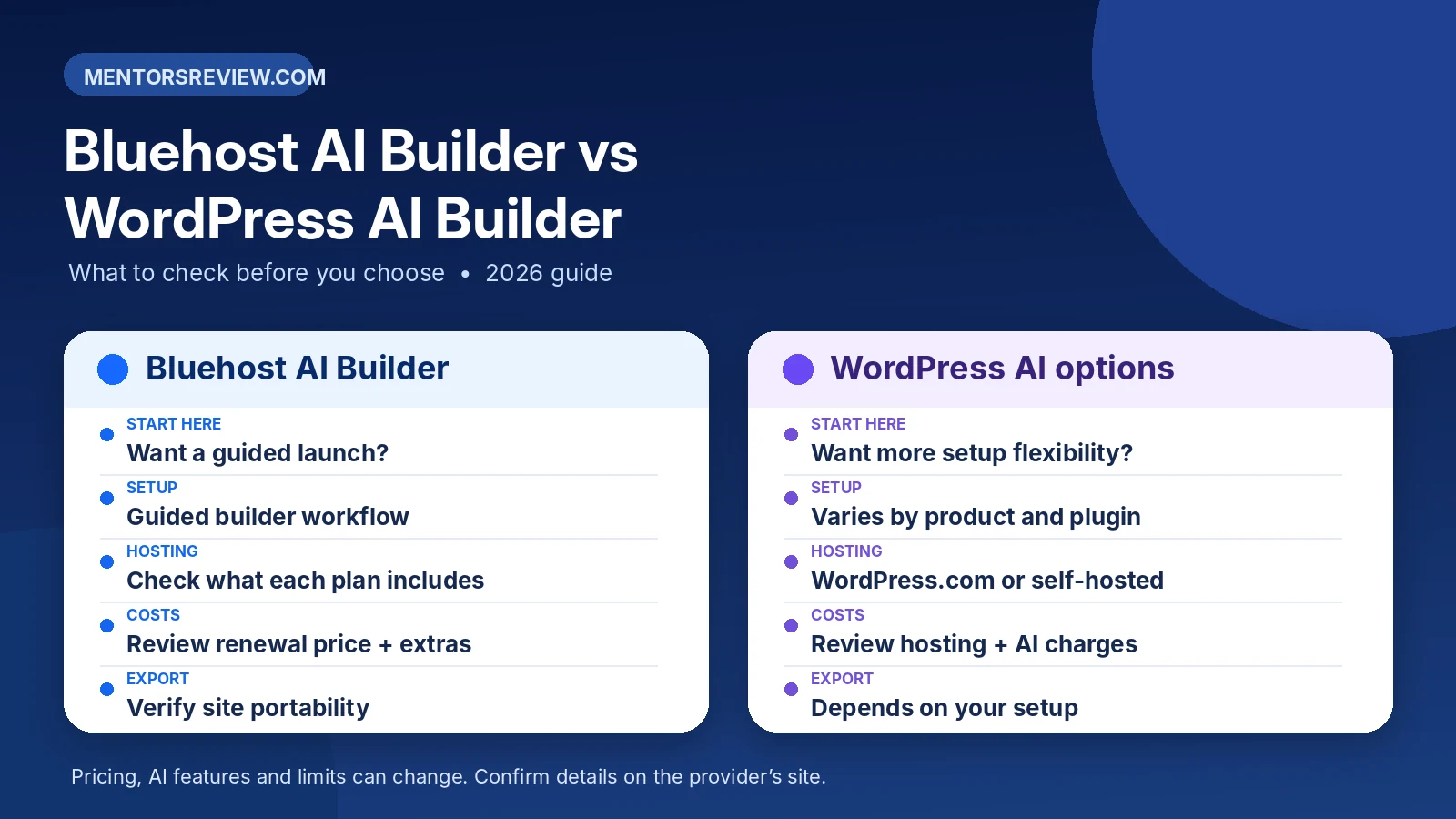
Bluehost explains the distinction in its official AI Builder vs WordPress guide. Product naming has changed over time: the WordPress-focused builder was previously associated with WonderSuite, so an older tutorial may describe a different dashboard.
What Is Bluehost AI Builder?
Bluehost AI Builder is a separate product designed to create websites and web apps from a natural-language description. You can describe a business, upload supporting images and refine the result by asking the AI for changes. Bluehost handles the hosting environment rather than giving you a conventional WordPress dashboard.
Its use cases include service websites, portfolios, landing pages, quote forms, appointment-booking workflows and internal request trackers. If you need customers to submit information and your team to work with records, the standalone builder may be more relevant than a traditional brochure site. Available integrations and workflows still need to be checked against your actual requirements.
Important limitations: Bluehost says this builder currently does not support e-commerce payments, does not provide source-code access or a general data export, and cannot directly import an existing website. If your project needs a cart and checkout, compare Bluehost AI Store or WordPress with WooCommerce instead. Read the official product-choice documentation before deciding.
What Is Bluehost WordPress AI Builder?
Bluehost WordPress AI Builder creates design options for a real WordPress installation. Instead of describing an entire standalone app in a chat, you provide website details, review generated layouts and then continue in WordPress. Bluehost states that its eligible WordPress and Web Hosting plans include this tool.
The key difference is what you own and maintain after setup: a WordPress site with themes, plugins, editorial workflows and broader portability. This can be useful for an affiliate review site, a long-term blog, a membership project or a store that relies on WooCommerce extensions. WordPress still requires attention to backups, plugin updates, security and performance.
For the actual WordPress setup sequence, see our Bluehost WordPress tutorial. That guide covers plan selection, installation, site settings, launch checks and the risks of buying based only on the introductory price.
2026 Pricing: Free Plan, Credits and Renewal Terms
Pricing snapshot checked November 12, 2026: The Bluehost AI Builder product page listed a Free plan at $0, Lite at $20/month, Standard at $40/month, with paid plans billed monthly. The page described monthly AI credits, hosting included on every tier and a custom domain requiring a paid plan. Credits and usage limits matter if you expect frequent revisions.
The Bluehost WordPress Hosting page separately advertised a Starter offer equivalent to $3.99/month on a 36-month term, renewing at $9.99/month at the time checked. That is a long-term hosting offer, not a directly comparable monthly AI Builder subscription. Taxes, plan eligibility, domain renewals, optional add-ons and promotional conditions can affect the real bill.
Prices and inclusions can change without notice. Treat the numbers above as a dated public-page snapshot, not a guaranteed checkout quote. Compare total term cost, the renewal rate and whether the specific builder you want is included before purchasing.
SEO: Which Builder Is Better for Organic Traffic?
For a content-heavy blog or review website, WordPress usually offers a more familiar publishing and SEO workflow: categories, internal linking, canonical controls, sitemaps, structured-data plugins and editorial tools. The WordPress AI Builder helps create the initial design; it does not replace the work of writing useful content or maintaining technical SEO.
Bluehost AI Builder can generate page titles, descriptions and image alt text. However, Bluehost says pages published on its free .app.bluehost.ai address are not indexed by search engines. To pursue organic search visibility with that product, connect your own domain on an eligible paid plan and publish the site. Indexing and ranking are still not guaranteed.
For either option, plan your site architecture before launch: use descriptive URLs, one clear main heading per page, original content, useful internal links and accessible images. Verify that important pages are indexable and monitor performance in search tools after publication.
Ownership, Export and Future Migration
Portability is one of the biggest differences. According to Bluehost, standalone AI Builder does not currently offer a source-code download or a general data export. If you later want to rebuild on a different platform, you may need to recreate layouts and manually transfer content or records where possible. Confirm data handling and retention before using it for business-critical workflows.
With WordPress hosting, you can generally move site content and files using WordPress export, backups or migration tools, subject to your hosting setup and plugin compatibility. Moving is not always one-click: you may still need to update DNS, test redirects and verify forms and email. Our Bluehost DNS records guide explains how to handle DNS changes carefully.
Which One Should You Choose?
Choose standalone Bluehost AI Builder if…
- You want a simple business website, portfolio or landing page with minimal technical setup.
- You need a booking, quote-request or internal workflow rather than a conventional WordPress blog.
- You are comfortable editing by chatting with AI and accepting the current export and integration limits.
- You want to try the free plan before deciding whether to pay for a custom domain.
Choose Bluehost WordPress AI Builder if…
- You plan to publish articles, reviews, tutorials or other SEO-driven content regularly.
- You need WordPress plugins, specific themes, WooCommerce or custom integrations.
- You want more control over site structure, files, backups and future migration.
- You are prepared to maintain WordPress updates, security and performance after launch.
A useful third option is to keep a WordPress website for content and link to a separate AI Builder app for booking or customer workflows. Bluehost documents this combination, but review the combined subscription cost and how visitors move between the two products.
Before You Buy: Five Checks That Prevent Regret
- Confirm the exact product. “AI Builder,” “WordPress AI Builder” and “AI Store” are different options. Do not assume a screenshot from one applies to another.
- Write down your essential features. Check payment collection, plugins, user accounts, integrations, export and backup needs against the product documentation.
- Compare the full cost. Check billing period, AI credits, custom-domain requirements, taxes, extras and renewal price.
- Check SEO requirements. A free AI Builder subdomain is not intended for indexing; a custom domain and useful content are necessary for an organic-search strategy.
- Read refund exclusions. Refund eligibility varies by product and service. Review our Bluehost money-back guarantee guide and confirm the current terms at checkout.
If predictable long-term costs matter most, it can also help to compare renewal structures across providers. Our SiteGround renewal-price guide illustrates why introductory rates and later bills should be evaluated separately.
Frequently Asked Questions
Is Bluehost AI Builder the same as WordPress AI Builder?
No. Bluehost AI Builder is a standalone website-and-app builder. Bluehost WordPress AI Builder creates a WordPress site and is included with eligible Bluehost hosting plans.
Can I start Bluehost AI Builder for free?
Bluehost advertised a free AI Builder plan with no credit card required as of November 12, 2026. The free address has limitations, including search-engine indexing and custom-domain restrictions. Verify current terms before signing up.
Can I use WordPress plugins with standalone Bluehost AI Builder?
No. Standalone AI Builder is not a WordPress installation. If plugins and themes are essential, choose WordPress hosting and the WordPress AI Builder workflow instead.
Can I sell products directly through Bluehost AI Builder?
Bluehost says standalone AI Builder currently does not support online payments or e-commerce. For a store, compare AI Store or WordPress with WooCommerce.
Can I move a Bluehost AI Builder site to another host?
Bluehost says standalone AI Builder does not currently offer source-code access or a general data export. WordPress provides more conventional content and site migration options, though compatibility and configuration still matter.
Which is better for affiliate SEO?
A WordPress site is generally a stronger fit for a large affiliate-content library because of its publishing tools, plugin ecosystem and internal-linking control. Neither builder guarantees search traffic, rankings or commissions.
Final Verdict: Match the Builder to the Job
If your goal is a business website or interactive workflow that you can describe in plain English, try Bluehost AI Builder and check whether its limitations fit your use case. If your goal is a blog, affiliate review site, WooCommerce store or highly customizable website, Bluehost WordPress AI Builder is the more suitable starting point.
The smartest purchase is not the product with the most exciting AI demo. It is the one whose editing model, domain policy, export options and ongoing bill fit your project. Compare the current offers and read the checkout details before committing.

Disclosure: The banner and button above are affiliate links. We may earn a commission if you make a qualifying purchase, at no extra cost to you.
Official Sources and Editorial Note
- Bluehost: AI Builder vs AI Store vs WordPress (updated November 6, 2026)
- Bluehost AI Builder product and plan details
- Bluehost WordPress AI Builder documentation
- Bluehost WordPress Hosting plans
Editorial method: This is a documentation-based comparison, not a hands-on review. Product descriptions and public pricing were checked November 12, 2026. Screens in our featured illustration are conceptual graphics, not original product screenshots. We have not verified conversion rates, customer outcomes or performance benchmarks.