By David Russell · MentorsReview · Updated November 18, 2026
Affiliate disclosure: We may earn a commission when you buy through our MindManager links, at no extra cost to you.
MindManager Black Friday 2026: choose your plan before you buy
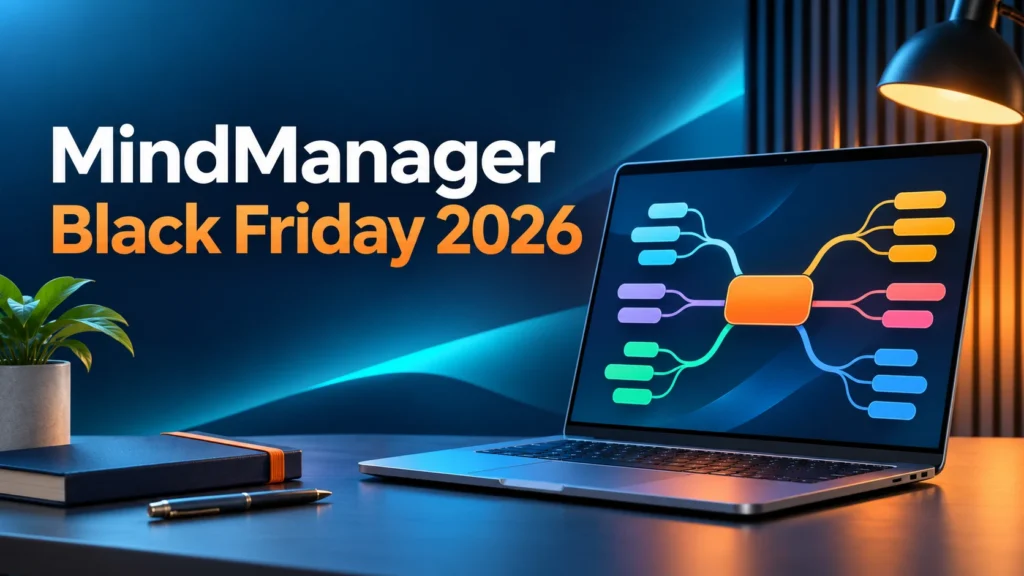
Turn scattered ideas into a clearer plan. The partner campaign lists 10% off four eligible MindManager options, with automatic savings and no promo code required.
Check MindManager’s 10% OfferCompare the four plans
Affiliate link · Confirm the discount, currency, taxes and license terms in your cart. The newsletter gives an end date of November 22; it does not specify a cutoff time or timezone.
The MindManager Black Friday 2026 offer is a 10% early-sale discount, according to the Q4 affiliate campaign supplied to MentorsReview. It covers Essentials annual, Professional annual, Professional perpetual and MindManager for Microsoft Teams annual. The useful question is which license fits your workflow—not simply which button shows a discount.
My recommendation: shortlist Essentials for individual browser-based planning, Professional annual for desktop work and broader collaboration, and the one-time purchase for a specific desktop version. Teams-focused buyers should check their existing licenses before adding a separate Microsoft Teams subscription. This guide explains those decisions, what the promotion actually says, and a practical way to evaluate the software before paying.
MindManager Black Friday 2026 offer: what is included?
The early campaign runs from November 3 through November 22, 2026. The newsletter describes automatic store savings, so it does not provide a coupon to type. Although the promotion uses “storewide” language, the four listed products below define the scope reported in this article. Do not assume Enterprise quotes, educational licenses, add-ons, upgrades or every renewal also receive the discount.
| Eligible option in the newsletter | Listed saving | Billing model to check |
|---|---|---|
| MindManager Essentials | 10% off | Annual subscription |
| MindManager Professional | 10% off | Annual subscription |
| MindManager Professional perpetual | 10% off | One-time purchase |
| MindManager for Microsoft Teams | 10% off | Annual subscription |
The newsletter does not establish a permanent reduced renewal rate, a universal dollar price or an additional coupon stack. Treat the cart as the final check for your location and chosen license. If your selected product does not show the expected saving, pause and ask the seller about eligibility before placing the order. A tracking link identifies a referral; it does not itself prove that an order qualifies.
For simple budgeting, an eligible pre-tax price of $200 would become $180 after a 10% reduction, saving $20. That is an arithmetic illustration, not a quoted MindManager price. Compare the same currency, license count and billing period when calculating your own saving. Taxes and optional extras can change the total you pay.
Which MindManager plan should you choose?
Start with where you work, who edits your maps, and whether future versions matter to you. The official product pages distinguish browser-only individual work from the broader Professional subscription. A lower entry price can be poor value if the license omits the environment you need every week.
| Option | Best starting point for | Main buying question |
|---|---|---|
| Essentials annual | One person organizing ideas and projects in a browser | Are web tools sufficient? Essentials does not license the Windows or Mac desktop app. |
| Professional annual | Individuals and small teams needing desktop tools and subscription services | Will you use collaboration and current-version access enough to justify recurring payment? |
| Professional perpetual / one-time purchase | A buyer who wants a particular desktop release | Is the chosen platform correct, and can you work within the included version’s limits? |
| Microsoft Teams annual | A group whose planning takes place inside Teams | Does an existing Professional or organizational license already cover your needs? |
Essentials: shortlist it for individual web work
Essentials is the annual web option. MindManager’s documentation describes templates, several diagram formats and basic project planning. It is a sensible starting point when your main job is arranging thoughts and presenting a clearer structure from a browser. Its appeal is simplicity: evaluate the web workflow you intend to use rather than paying for desktop capabilities by default.
Test a representative map before deciding. Can you reorganize a long outline comfortably? Can you retrieve the map from the location you plan to use? Does the output suit the person receiving it? If your work depends on local desktop files or a particular integration, check the current product documentation carefully. A familiar product name across plans does not guarantee identical capabilities.
Professional annual: shortlist it for a broader workflow
The Professional annual plan includes Windows and Mac desktop access and a wider subscription suite. Official licensing guidance also lists co-editing, web access and MindManager for Microsoft Teams within the annual offering. This makes it the first option I would compare for someone who drafts alone on a desktop, then needs colleagues to work on the plan together.
The value depends on adoption. A consultant who uses a planning map in every client meeting may have a different budget from someone drawing a single diagram each quarter. List the recurring activities the subscription would support. If you cannot name them, start with a trial and a smaller evaluation rather than treating the sale as the reason to adopt a new tool.
Teams annual: check the existing license first
The dedicated Teams product lets users work with maps within the Microsoft Teams environment. Its official page describes collaborative editing and maps placed in Teams channels. That can fit a team that already holds discussions, shares files and coordinates delivery there. Before purchasing separate seats, ask your administrator what your organization already owns and which users need editing rights.
For a team evaluation, include one person who normally leads meetings and one who usually receives assignments. Ask both to complete the same short exercise. The goal is to discover whether the map improves shared understanding without adding another place that nobody maintains. Confirm seat quantities and any Microsoft environment requirements with the seller or your administrator.
Found the license that matches your work?
Open the current offer, select the exact plan and verify the 10% campaign saving before checkout. Check existing entitlements before adding another subscription.
View Eligible MindManager Plans
Affiliate link · Campaign listed through November 22, 2026. Regional pricing and checkout terms control.
Professional annual vs perpetual: the important trade-off
“Perpetual” describes the license model for the purchased version. It should not be read as every future release, every online service or guaranteed compatibility with every future computer. MindManager’s knowledge base says the one-time license is version-specific, distinguishes Windows from Mac activation, and does not include free upgrades to new major versions.
The annual plan supplies upgrades during the active subscription term. The same licensing guidance describes automatic annual renewal unless cancelled before the renewal date, and loss of product-use rights when the subscription expires. Read the terms attached to your actual purchase, especially if an employer pays for your license or you expect to stop using it after one project.
A useful comparison is your expected total spend over the period you actually intend to use the software. For annual access, include the initial charge plus the renewal amounts you expect to pay. For a one-time license, include the upfront charge and any later upgrade you would realistically need. Do not extend the current 10% promotion to future years unless the seller explicitly confirms that benefit.
For example, imagine a freelancer planning a two-year client engagement. They should compare two years of subscription costs with the cost of the chosen desktop version, then assess collaboration and upgrade requirements separately. A cheaper total is helpful only when the license supports the deliverables. The right answer can change if the client requires shared editing midway through the contract.
Does MindManager 26 change the buying decision?
MindManager’s official lifecycle page dates the Windows 26 and Mac 26 releases to October 6, 2026. That supports the newsletter’s reference to an October launch. It does not mean every capability shown in marketing is available in every edition or on both desktop platforms.
If you are upgrading an older installation, build a short compatibility checklist: operating system, existing map files, required exports, integrations and the license you already own. Review the release materials for your platform. A new version number is useful context, but the practical reason to upgrade should be a problem it solves or a requirement it meets in your own workflow.

A practical workflow to test before buying
Here is an illustrative evaluation for a small agency preparing a website launch. It is a suggested exercise, not a report of a measured product test. It also works for a consultant’s client handover, a content campaign or an internal operations project. Choose a real piece of work so the evaluation reveals whether visual planning fits how your team thinks.
1. Capture the outcome before listing tasks
Write the intended result in plain language: launch the client’s new service pages with working contact forms and clear ownership. Add the main work areas, such as research, content, design, development and launch checks. Avoid filling the map with every idea immediately. The first test is whether the structure makes the project easier for another person to explain back to you.
2. Separate actions from reference information
Place decisions, open questions and supporting material where they can be found without obscuring the main plan. Ask a teammate to locate the latest client requirement and identify the next action. If information capture is a separate problem in your business, our Kaptr.me review explores a different kind of capture workflow; it should not be assumed to replace project planning.
3. Test ownership and the handover
Choose five deliverables and agree who owns each one. Decide how the team will review progress and where final decisions belong. During your trial, verify that the selected edition supports the task information, sharing method and output format you require. Ask someone who did not build the map to use it. Their questions often reveal more than a polished demo.
4. Measure usefulness in your own terms
After a short working session, compare the map with your usual document or spreadsheet. Did it reveal missing work? Could a colleague identify the critical next step? Would you maintain it during a busy week? You do not need an invented productivity percentage to answer these questions. A reliable improvement to one recurring process can matter more than a long feature list.
Keep the role of each tool clear. A visual plan organizes decisions; a visibility platform measures something else. If your campaign also includes tracking how your brand appears in AI answers, see our AnswerRank review for that separate evaluation. Buying tools for defined jobs helps prevent overlapping subscriptions and abandoned dashboards.
Who should buy—and who should wait?
Consider buying when visual planning is already part of a repeated activity, the right plan covers your required platform, and you have validated how colleagues will receive or edit the work. Consultants, project leads and operations teams can use the evaluation above to make that decision without relying on a discount alone.
Wait or keep your existing setup when a simple outline already solves the problem, you only need an occasional diagram, or the people involved will not adopt another workflow. Also wait if you cannot verify the required feature in your exact edition. Ten percent off a license you do not use is still wasted spending.
For larger organizations, administration, deployment, access controls and purchasing policies can matter more than the public promotion. Ask about the appropriate organizational license and obtain a quote where needed. This article reports the four named campaign products; it does not establish a discount on Enterprise agreements. Browse our business software guides for other tools organized around specific work needs.

How to claim the offer: checkout checklist
- Open the MindManager offer through our affiliate link. Navigate to the product that matches your intended workflow.
- Select the exact license. Distinguish Essentials annual, Professional annual, Professional perpetual and Teams annual. For a one-time purchase, confirm Windows or Mac.
- Review the displayed saving. The campaign says 10% is applied automatically. If it is missing, confirm eligibility with the seller before paying.
- Check the complete total. Confirm currency, seat count, tax, billing interval and any optional extras. Save the order summary for your records.
- Read ongoing terms. Check the renewal amount and cancellation process for subscriptions, plus support and upgrade terms for one-time licenses.
- Review refund conditions. Official product pages advertise a 30-day money-back guarantee, but read the applicable terms for your purchase and channel rather than assuming every case qualifies.
MindManager also advertises a 30-day trial on its product pages. That is useful if you have not evaluated the software. However, the trial period can extend past November 22, so do not assume an early-sale price will remain available when the trial ends. Ask the seller if timing affects your purchase, and avoid rushing a license decision you have not checked.
Our verdict: buy the workflow, then use the discount
The strongest reason to consider the MindManager Black Friday 2026 promotion is that you already need a visual planning tool and can identify the right license. Essentials is the web-focused starting point; Professional annual deserves a closer look for broader desktop and collaboration needs; perpetual is a version-specific decision. Teams buyers should first check existing entitlements.
My preferred next step is straightforward: use a real project to confirm fit, compare annual and one-time costs on equal terms, then verify the saving in the cart. The newsletter’s 10% offer is a purchasing opportunity through November 22, not evidence that every reader needs the software or that a larger later discount is guaranteed.
Make your next project easier to see
Compare the eligible MindManager plans and choose the license your workflow needs. Confirm automatic savings and the full payment terms before you order.
Check MindManager Offer & PlansReview the comparison
Affiliate link · No promo code listed in the supplied campaign. Offer subject to seller eligibility and regional checkout terms.
MindManager Black Friday 2026 FAQs
What is the MindManager Black Friday 2026 discount?
The supplied affiliate newsletter lists 10% off Essentials annual, Professional annual, Professional perpetual and Microsoft Teams annual during the early campaign. Verify eligibility and the saving in your cart.
When does the early offer end?
The newsletter lists November 3–22, 2026. It does not specify the cutoff time or timezone, so check the seller’s terms rather than assuming local midnight.
Do I need a MindManager promo code?
No code is listed for this campaign. The newsletter says the discount applies automatically. Confirm the reduced price before placing an order.
Does Essentials include the desktop apps?
No. MindManager’s official Essentials documentation describes a web subscription and states that it does not license the Windows or Mac desktop application.
Does the perpetual license include future versions?
The official licensing guide says the one-time purchase licenses the purchased version and does not include free upgrades to new versions. Confirm platform compatibility and support terms before buying.
Is Microsoft Teams access included in Professional annual?
MindManager’s official annual-plan guidance lists MindManager for Microsoft Teams as part of the Professional annual suite. Check your current entitlement before purchasing separate Teams seats.
Will the 10% discount apply to renewals?
The supplied newsletter does not establish discounted future renewals. Confirm the initial charge and renewal amount separately in the order terms.
Is this a hands-on MindManager review?
No. This is a research-based campaign and licensing guide using official product sources and the supplied partner newsletter. The workflow examples are suggested evaluation exercises.
Sources and editorial notes
Checked November 18, 2026. Sale scope: supplied MindManager Q4 2026 affiliate newsletter. Product information: official plan comparison, annual versus one-time license guide, Essentials documentation, Microsoft Teams product page, product lifecycle policy and Professional product page. Features vary by platform and purchase option. Prices were not reproduced because no reliable regional checkout total was verified.